JuzaPhoto uses technical cookies and third-part cookies to provide the service and to make possible login, choice of background color and other settings (click here for more info).

By continuing to browse the site you confirm that you have read your options regarding cookies and that you have read and accepted the Terms of service and Privacy.


OK, I confirm


You can change in every moment your cookies preferences from the page Cookie Preferences, that can be reached from every page of the website with the link that you find at the bottom of the page; you can also set your preferences directly here

Accept Cookies Customize Refuse Cookies
RCE Foto


Login Logout Join JuzaPhoto!

X-trasformer beta 3 - (parte 2)


  1. Forum
  2. »
  3. Fotocamere, Accessori e Fotoritocco
  4. »
  5. Mirrorless Fuji
  6. » X-trasformer beta 3 - (parte 2)


avatarsenior
sent on 28 Marzo 2017 (15:15)    

Ottimo Maori grazie per la spiegazione...

avatarsenior
sent on 28 Marzo 2017 (15:20)    

Io uso 'apply correction to image", per le mie lenti (X100T, 27 mm e 18-55) la correzione la fa bene XT.

avatarjunior
sent on 02 Aprile 2017 (10:33)    

Domanda semplice: cos'è il "jpeg preview" impostabile none-medium-large....?

avatarsenior
sent on 02 Aprile 2017 (11:15)    

Il jpeg incorporato nel dng per le preview dei files, comodo ma il dng diventa ancora più gigante.

avatarjunior
sent on 02 Aprile 2017 (11:38)    

Ma la preview dove? scusa sono un po' tonto.

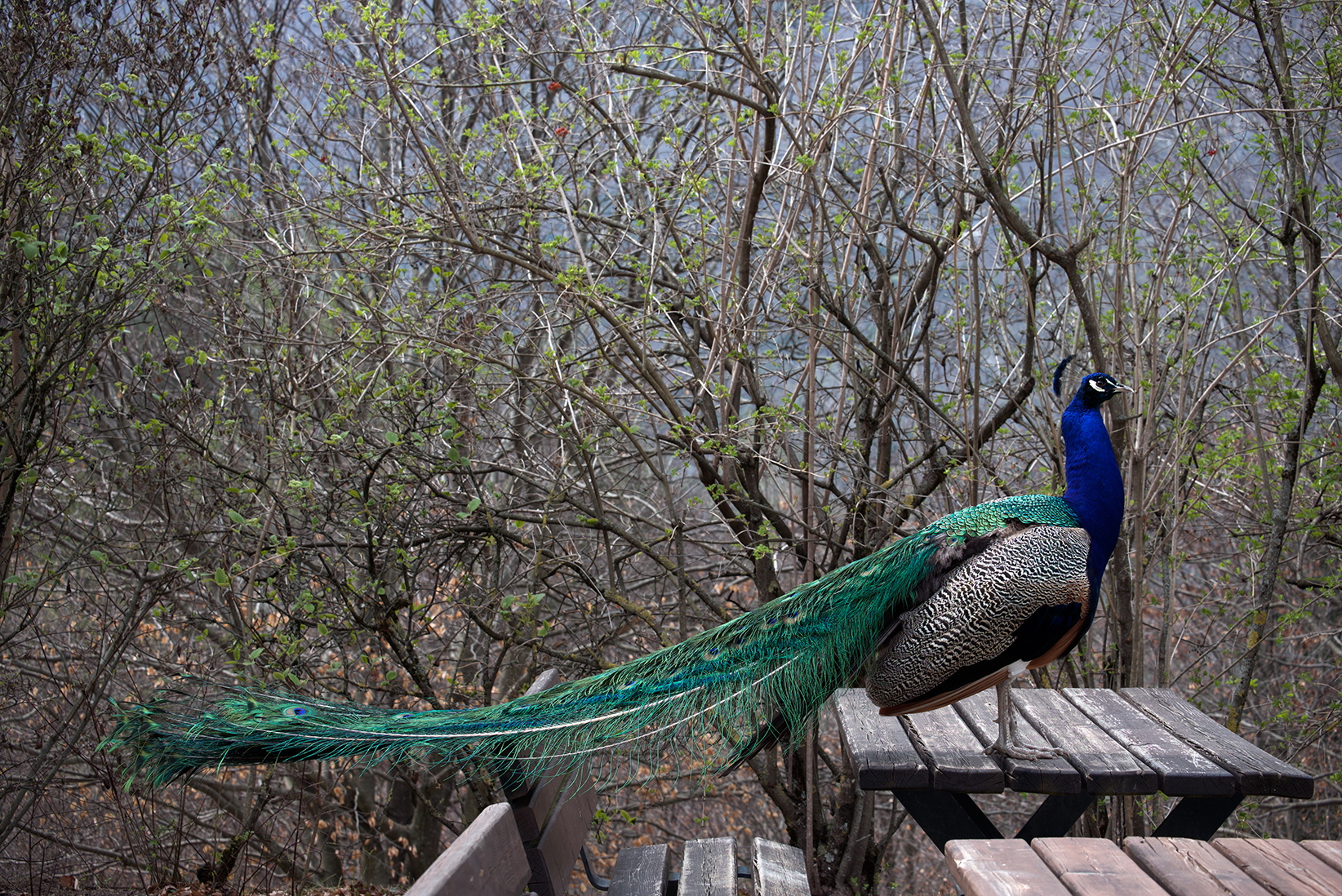
vi allego un raf fatto ieri con la X-T10 se puio' essere utile per prove. Io ho visto uno sviluppo piu' nitido da parte di X-Transformer ma niente che non si raggiunga con Camera raw + photoshop e qualche metodo di nitidezza, o comunque che si noti a meno del 100% di ingrandimento.

Forse l'unico caso in cui lo userei sono i famosi aghi di pino.

www.dropbox.com/s/nhkri33z1gzresq/SRGB1864.RAF?dl=0

avatarsenior
sent on 02 Aprile 2017 (11:41)    

Se usi un visualizzatore per scorrere i dng senza preview jpeg devi aspettare una vita tra uno e l'altro mentre se c'è un jpeg incorporato legge quello ed è molto più leggero.
Fai una prova e vedi subito.

avatarjunior
sent on 02 Aprile 2017 (11:44)    

Perfetto ho capito, è che io non uso visualizzatori per i raw.

Ho aggiunto un link al post sopra.

avatarsenior
sent on 02 Aprile 2017 (12:05)    

Ma te lo credevi che dalla x-t10 si può tirare fuori sta roba?

Potete mettergli vicino x-transformer, se si avvicina a questo risultato allora è buono ;-)


avatarjunior
sent on 02 Aprile 2017 (12:08)    

In che senso, va bene, o sei ironico e fa schifo? Comunque ho solo scattato al volo col 50-230 senza pensare a nessun test.

avatarsenior
sent on 02 Aprile 2017 (12:12)    

La foto è corretta, è nitida, bella.

user117231
avatar
sent on 02 Aprile 2017 (12:40)    

Posta anche un crop del punto di messa a fuoco.

avatarjunior
sent on 02 Aprile 2017 (12:56)    

dovrebbe essere il collo del pavone

avatarsenior
sent on 02 Aprile 2017 (13:05)    

Ma perché poi ti giran le balle!Sorriso


user117231
avatar
sent on 02 Aprile 2017 (14:04)    

Ottimo risultato. ;-)

...

www.juzaphoto.com/galleria.php?l=it&t=2278682
Qui la primissima foto postprodotta dal DNG di XT.

La versione in alta risoluzione è ridotta al 75% del formato originale.
A sembrerebbe che i 37 euro siano stati spesi bene.

SETTAGGI
RAW Process : More Detailed
Sharpening : Medium

Poi in ACR - Photoshop, postproduzione senza quasi nessuna modifica alla maschera di contrasto di XT.

avatarsenior
sent on 02 Aprile 2017 (14:16)    

Grazie Io Ro!

Su X-T nulla da dire l'ho sempre sostenuto.

Nel tuo risultato apprezzo l'aver contenuto la seconda affilatura, infatti non fiorisce.
Può essere un alternativa dare più pre-sharp e dare meno sharp. Ho sempre sostenuto il contrario.

Però lo trovo ancora leggermente grossolano. Il risultato migliore è più sottile.

La tua mi sembra una buona base di partenza, ma anche altre che ho visto.

Se a te piace questo risultato, io personalmente proverei a lasciare questo sharp ma nel pre-sharp proverei anche smoother/medium per avere una resa più sottile.


What do you think about this topic?


Do you want to tell your opinion? You can join the discussion by joining JuzaPhoto, it is easy and free!

There is more: by registering you can create your personal page, publish photos, receive comments and you can use all the features of JuzaPhoto. With more than 257000 members, there is space for everyone, from the beginner to the professional.


RCE Foto

Publish your advertisement on JuzaPhoto (info)


 ^

JuzaPhoto contains affiliate links from Amazon and Ebay and JuzaPhoto earn a commission in case of purchase through affiliate links.

Mobile Version - juza.ea@gmail.com - Terms of use and Privacy - Cookie Preferences - P. IVA 01501900334 - REA 167997- PEC juzaphoto@pec.it

May Beauty Be Everywhere Around Me