What do you think about this photo?
Do you have questions or curiosities about this image? Do you want to ask something to the author, give him suggestions for improvement, or congratulate for a
photo that you really like?
You can do it by joining JuzaPhoto, it is easy and free!
There is more: by registering you can create your personal page, publish photos, receive comments and you can use all the features of JuzaPhoto.
With more than 259000members, there is space for everyone, from the beginner to the professional.
|
|
sent on 23 Gennaio 2026 (19:19) | This comment has been automatically translated (show/hide original)
"uè guagliù, felicissima sera" ;-)
Curious to know what development process you adopted?
Thank you. "uè guagliù, felicissima sera"
Sono curioso di sapere quale procedimenti di sviluppo hai adottato?
grazie. |
|
|
sent on 24 Gennaio 2026 (16:35)
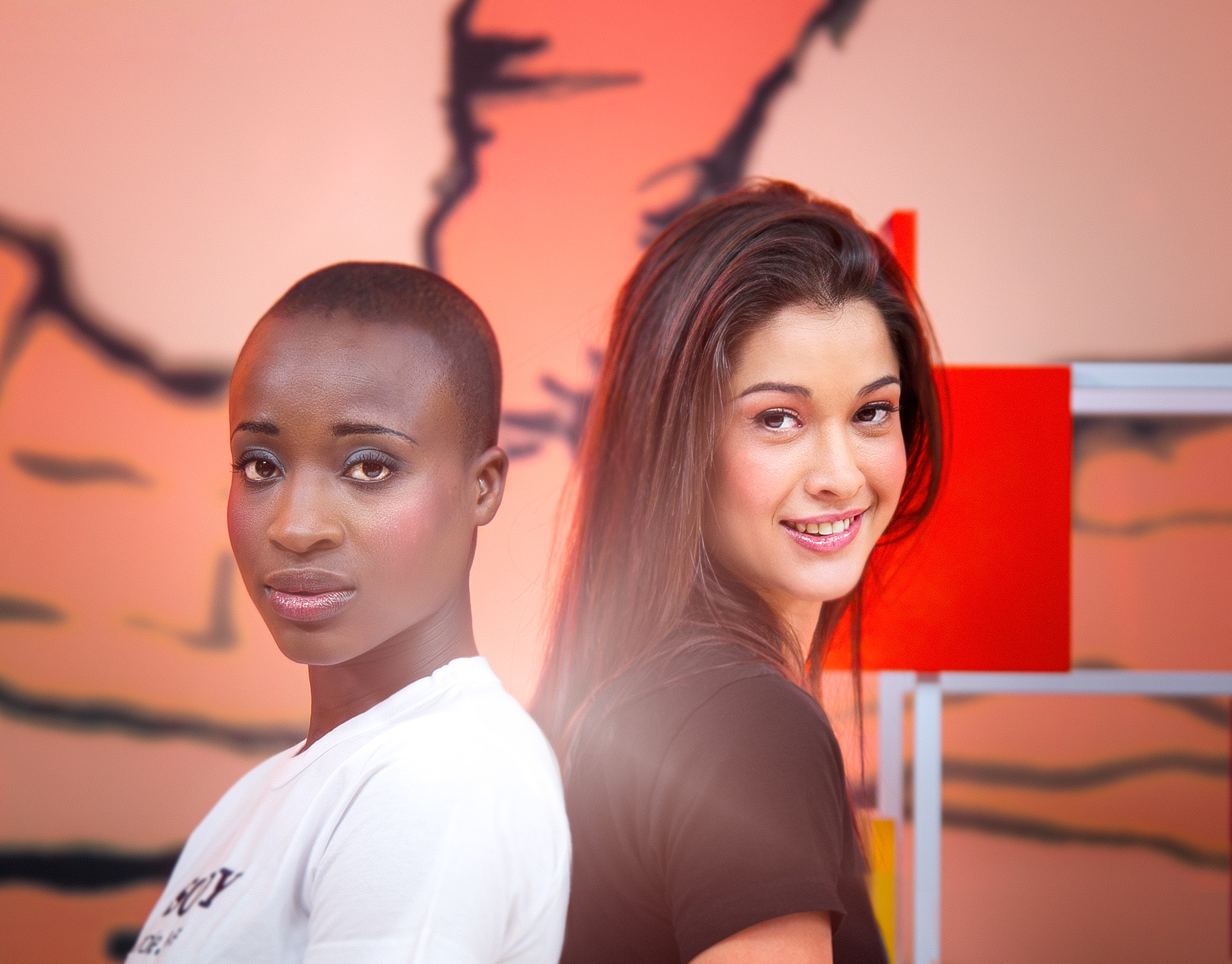
Peppì a disposizione 
il progetto l'ho cancellato se no ti lasciavo direttamente il template
allora
CAMERA RAW:
prima di fare qualsiasi cosa scelgo il profilo colore con cui lavorare (in questo caso se non ricordo male era adobe standard) lavoro con spazio colore PROPHOTO
-regolazioni generali di base (taglio,esposizione,luce,ombre ecc)
-maschera sullo sfondo (viraggio dal giallo a un rosso non troppo intenso)
-maschera sul volto di ragazza1/maschera sul volto di ragazza 2 (lavorazione del tono della pelle aggiungendo altre maschere radiali tipo sulle guance,labbra per enfatizzare e riportare ai colori originali il trucco che già avevano)
CONSIGLIO SEMPRE QUANDO SI HANNO FOTO CON COLORI COSI' DIFFICILI DA GESTIRE DI LAVORARE SELETTIVAMENTE
-contrasto a me piace gestirlo con le curve piuttosto che con il selettore (agisco dando un piccolissimo boost sui toni scuri e un altro sui toni chiari)
-aumento la texture generale e abbasso la chiarezza dandomi un leggero effetto glow
-denoise (in questo caso ho usato la funzione di camera raw che a parer mio funziona molto bene)
-color grading e curve colori non ho toccato niente se non per abbassare la saturazione dei rossi ma sempre in maniera selettiva cioè di zona in zona
PASSAGGIO A PHOTOSHOP:
-rimozione di brufoli e cose così
-separazione di frequenze per levigare la pelle e aggiungere un pò di texture
-maschere sugli occhi e labbra per dare selettivamente nitidezza e luminosità
-cambio colore maglietta( in questo caso ho selezionato la maglietta, separata, aggiunto una tinta di colore nero non puro qualcosa che va più sul grigio, poi ho cambiato metodo di fusione in scolora se non ricordo male in modo da far uscire le pieghe delle maglietta e dare un effetto più realistico)
-ho aggiunto una sfocatura generale per mettere i soggetti più in risalto
-aggiunto un pò di granella per nascondere artefatti e fare in modo che la maglietta nera sia coerente nei toni dello sfondo dato che ha un colore non suo
-aggiunto un piccolo flare che è il mio marchio di fabbrica
e niente
chest è Peppì a disposizione
il progetto l'ho cancellato se no ti lasciavo direttamente il template
allora
CAMERA RAW:
prima di fare qualsiasi cosa scelgo il profilo colore con cui lavorare (in questo caso se non ricordo male era adobe standard) lavoro con spazio colore PROPHOTO
-regolazioni generali di base (taglio,esposizione,luce,ombre ecc)
-maschera sullo sfondo (viraggio dal giallo a un rosso non troppo intenso)
-maschera sul volto di ragazza1/maschera sul volto di ragazza 2 (lavorazione del tono della pelle aggiungendo altre maschere radiali tipo sulle guance,labbra per enfatizzare e riportare ai colori originali il trucco che già avevano)
CONSIGLIO SEMPRE QUANDO SI HANNO FOTO CON COLORI COSI' DIFFICILI DA GESTIRE DI LAVORARE SELETTIVAMENTE
-contrasto a me piace gestirlo con le curve piuttosto che con il selettore (agisco dando un piccolissimo boost sui toni scuri e un altro sui toni chiari)
-aumento la texture generale e abbasso la chiarezza dandomi un leggero effetto glow
-denoise (in questo caso ho usato la funzione di camera raw che a parer mio funziona molto bene)
-color grading e curve colori non ho toccato niente se non per abbassare la saturazione dei rossi ma sempre in maniera selettiva cioè di zona in zona
PASSAGGIO A PHOTOSHOP:
-rimozione di brufoli e cose così
-separazione di frequenze per levigare la pelle e aggiungere un pò di texture
-maschere sugli occhi e labbra per dare selettivamente nitidezza e luminosità
-cambio colore maglietta( in questo caso ho selezionato la maglietta, separata, aggiunto una tinta di colore nero non puro qualcosa che va più sul grigio, poi ho cambiato metodo di fusione in scolora se non ricordo male in modo da far uscire le pieghe delle maglietta e dare un effetto più realistico)
-ho aggiunto una sfocatura generale per mettere i soggetti più in risalto
-aggiunto un pò di granella per nascondere artefatti e fare in modo che la maglietta nera sia coerente nei toni dello sfondo dato che ha un colore non suo
-aggiunto un piccolo flare che è il mio marchio di fabbrica
e niente
chest è |
|
|
sent on 24 Gennaio 2026 (16:44) | This comment has been automatically translated (show/hide original)
nice post amodio, you did the Ringo (and not bingo) with the change of jersey :-) bella post amodio, hai fatto il Ringo (e non bingo) con il cambio maglia |
|
|
sent on 24 Gennaio 2026 (16:46) | This comment has been automatically translated (show/hide original)
Thank you and see you soon. Grazie e a presto. |
|
|
sent on 24 Gennaio 2026 (17:46) | This comment has been automatically translated (show/hide original)
Good, however I would not have put the "trademark". Buona, tuttavia non avrei messo il "marchio di fabbrica". |
|

Publish your advertisement on JuzaPhoto (info) |



 JuzaPhoto contains affiliate links from Amazon and Ebay and JuzaPhoto earn a commission in case of purchase through affiliate links.


 Resize to fit window
 2.9 MEGAPIXEL




![[en]](shared_files/layout/country_flags/flag_196.jpg)
