What do you think about this photo?
Do you have questions or curiosities about this image? Do you want to ask something to the author, give him suggestions for improvement, or congratulate for a
photo that you really like?
You can do it by joining JuzaPhoto, it is easy and free!
There is more: by registering you can create your personal page, publish photos, receive comments and you can use all the features of JuzaPhoto.
With more than 260000members, there is space for everyone, from the beginner to the professional.
|
|
sent on 09 Dicembre 2025 (10:40) | This comment has been automatically translated (show/hide original)
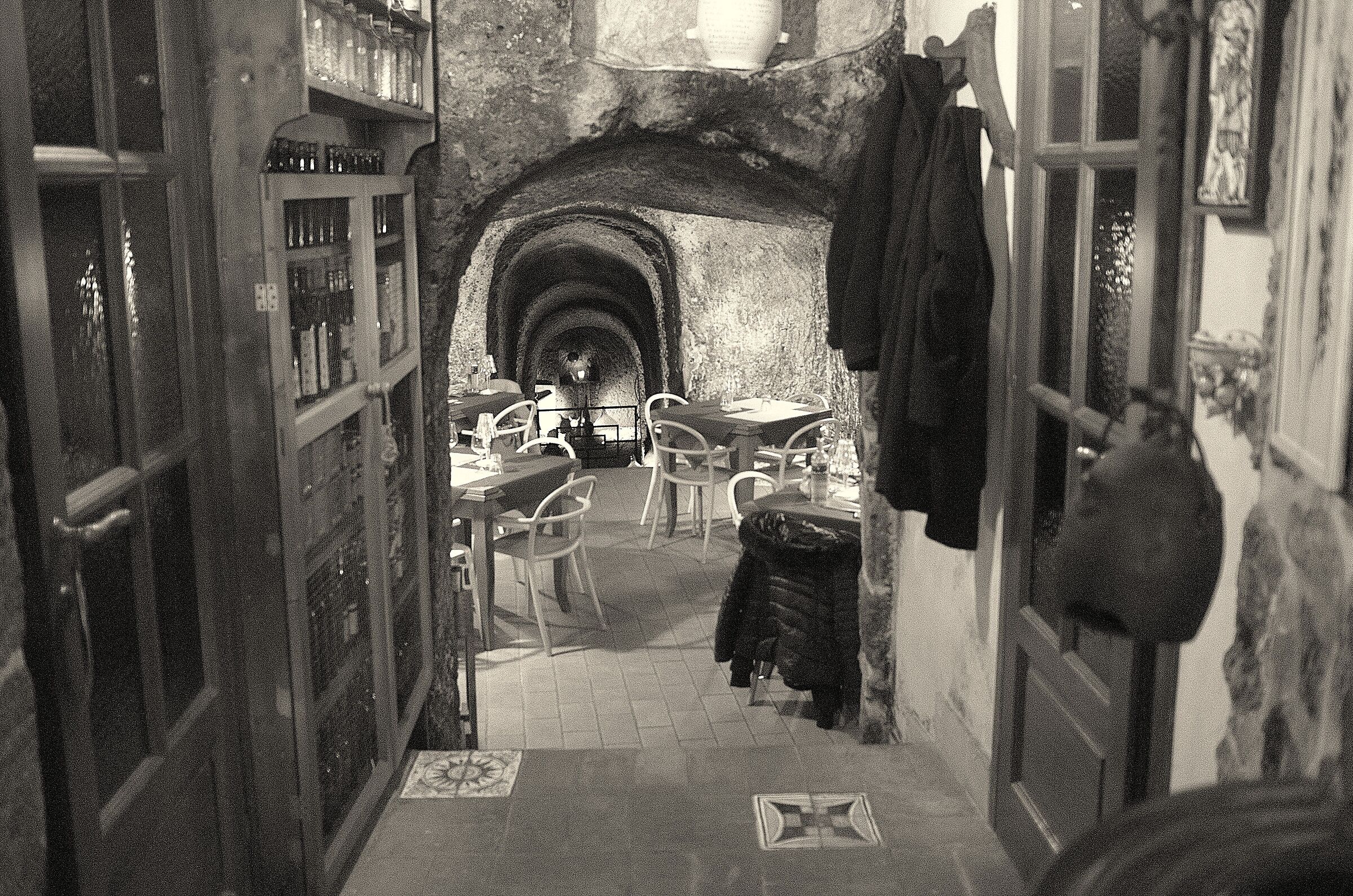
Honestly, I see very little street photography and a lot of tourist photography. I would have fixed the falling lines. Sinceramente ci vedo molto poco di fotografia street e molto di foto turistica. Avrei aggiustato le linee cadenti. |
|
|
sent on 09 Dicembre 2025 (23:47) | This comment has been automatically translated (show/hide original)
True, on the other hand the category that the curtain offers you is photojournalism / street / events; there is no tourism; there is travel reportage, but I have a house in Abbadia San Salvatore, going to Sorano I can't experience it as a 'journey'.
I don't know how to fix falling lines.
I'm sorry for both.
Vero, d'altra parte la categoria che ti propone la tendina è fotogiornalismo/ street / eventi; turismo non c'è; c'è reportage di viaggio, ma io ho casa ad Abbadia San Salvatore, andare a Sorano non riesco a viverlo come 'viaggio'.
Le linee cadenti non le so aggiustare.
Mi spiace per entrambe le cose.
|
|
|
sent on 10 Dicembre 2025 (0:12) | This comment has been automatically translated (show/hide original)
“ I don't know how to fix falling lines. „
If you use Lightroom it's very simple in the development area you go to transform and then automatic or the other possibilities, with Photoshop select everything (ctrl + ALT) then edit / transform / distort the handles appear with those you can edit the lines of your photo also with the help of the guides “ Le linee cadenti non le so aggiustare. „
Se usi Lightroom è semplicissimo in area sviluppo vai in trasformazione e poi automatico o le altre possibilità, con Photoshop seleziona tutto (ctrl + ALT) poi modifica/trasforma/distorci ti appaiono le maniglie con quelle puoi modificare le linee della tua foto anche aiutandoti con le guide |
|
|
sent on 10 Dicembre 2025 (13:08) | This comment has been automatically translated (show/hide original)
... I only use the program with which my PC opens, I don't even know what it's called,
anyway you're right, it's a travel note, with ISO 3.200, it's a particular restaurant, with a cave very downhill ... uso solo il programmino con il quale le apre il mio pc, non so neppure come si chiama,
comunque hai ragione, è un appunto di viaggio, con iso 3.200, è un ristorante particolare, con una grotta molto in discesa...
Grazie |
|

Publish your advertisement on JuzaPhoto (info) |



 JuzaPhoto contains affiliate links from Amazon and Ebay and JuzaPhoto earn a commission in case of purchase through affiliate links.


 Resize to fit window
 16.1 MEGAPIXEL