What do you think about this photo?
Do you have questions or curiosities about this image? Do you want to ask something to the author, give him suggestions for improvement, or congratulate for a
photo that you really like?
You can do it by joining JuzaPhoto, it is easy and free!
There is more: by registering you can create your personal page, publish photos, receive comments and you can use all the features of JuzaPhoto.
With more than 260000members, there is space for everyone, from the beginner to the professional.
|
|
sent on 12 Novembre 2011 (15:53) | This comment has been automatically translated (show/hide original)
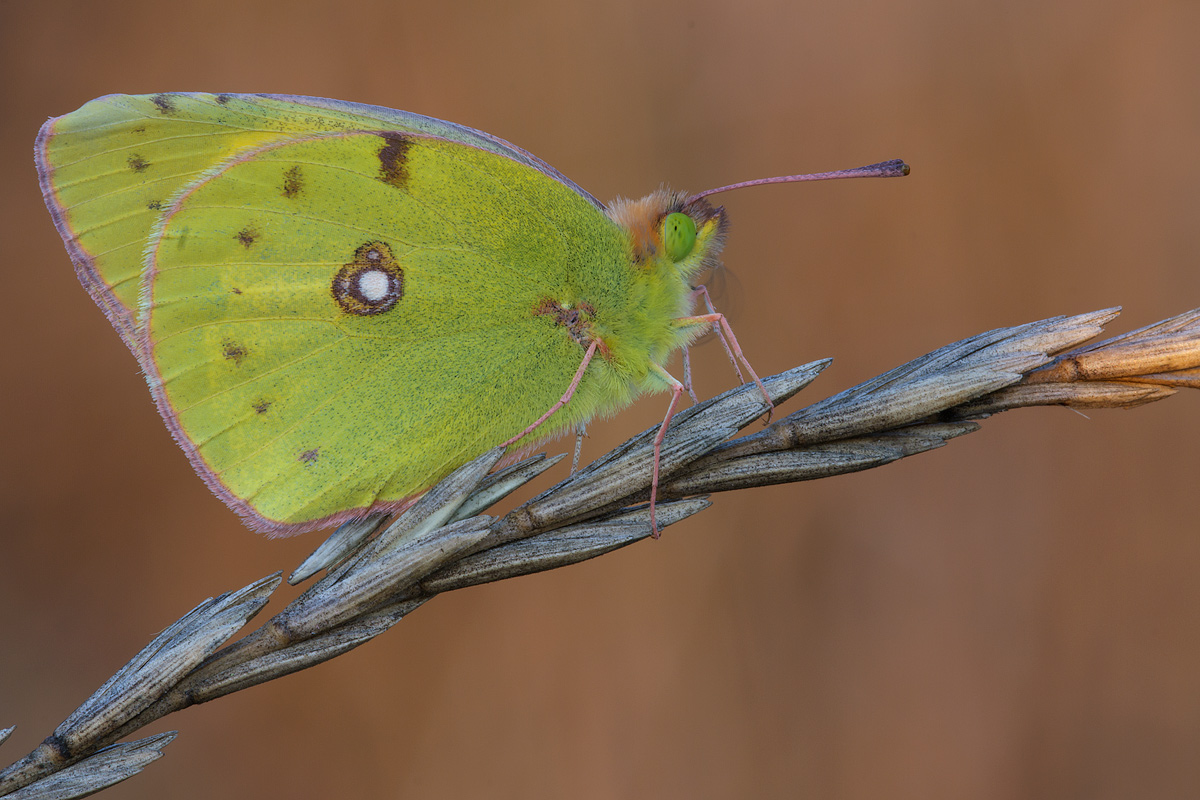
Virginio the picture is a bit dark and low-contrast, aggisci with layers.
see that the photo is great do as I told you .... ;-)
Regards Ciro Virginio la foto è un po scura e poco contrastata, aggisci con i livelli.
vedi che la foto è eccezionale fai come ti ho detto....
saluti Ciro |
user1338
|
sent on 12 Novembre 2011 (16:01) | This comment has been automatically translated (show/hide original)
Beautiful composition, the beautiful model and the background, just revive it says Cyrus.
Hello. Bella la composizione, bellissimo l'esemplare e lo sfondo, giusto ravvivarla come dice Ciro.
Ciao. |
|
|
sent on 12 Novembre 2011 (17:38) | This comment has been automatically translated (show/hide original)
From reviewing the post production on the straight of Cyrus, the picture is very beautiful for me, it's worth it!
HELLO Da rivedere la post produzione sulle dritte di Ciro, la foto anche per me è molto bella, ne vale la pena!
CIAO |
|
|
sent on 12 Novembre 2011 (17:49) | This comment has been automatically translated (show/hide original)
Thanks for the advice, I'm not an expert pp therefore we welcome suggestions
hello Grazie dei consigli,io non sono un esperto di pp pertanto ben vengano i suggerimenti
ciao |
user1338
|
sent on 12 Novembre 2011 (18:12) | This comment has been automatically translated (show/hide original)
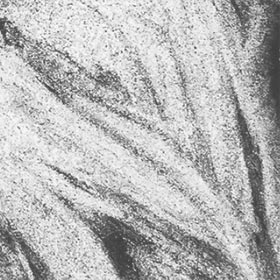
I state that I am speaking of Photoshop: Ciro says you can use layers (Image-adjustments-levels) in the diagram to the right you light the shadows on the left, in this case, drag the arrow to the left and increases the brightness as desired.
Function or brightness-contrast (Immagine-regolazioni-luminosità/contrasto) can give light or contrast through the selector triangle.
Or curves (Image-Adjustments-curve) shows a diagram curving up from the light, drawing a slight increase they light but not too much on influisci highlights.
When the light be careful on the areas already clear, in case you just quaesto the white spot on the wing, if you use layer masks can act selectively. (Level-layer mask-show all / hide all) select a white brush if you hide everything black if it shows everything and work on stakeholders.
To go to the contrast-contrast-contrast filter works better and giving low values ??of radius (I use 0.5 on tiff and threshold 70.80 or more ù, to taste), be careful that if you overdo it you will see the grain and artifacts.
If you do not disrespect I tried to give an example of what I wrote, or gate without problems:

I'm sure others can explain it better, for my part are available here.
Greetings hello. ;-) Premetto che parlo di Photoshop: come dice Ciro puoi puoi usare i livelli (Immagine-regolazioni-livelli) nel diagramma a destra hai la luce a sinistra le ombre, in questo caso trascini la freccia di destra verso sinistra e aumenti la luminosità come desideri.
Oppure la funzione luminosità-contrasto (Immagine-regolazioni-luminosità/contrasto) puoi dare luce o contrasto agendo sul selettore a triangolo.
Oppure le curve(Immagine-regolazioni-curve)compare un diagramma curvando in alto dai luce, disegnando una leggera esse aumenti la luce ma non influisci eccessivamente sulle alte luci.
Quando dai luce stai attento alle zone già chiare, in quaesto caso hai solo la macchia bianca sull'ala, se usi le maschere di livello puoi agire in modo selettivo. (Livello-maschera di livello-mostra tutto/nascondi tutto) selezioni un pennello bianco se nascondo tutto, nero se mostra tutto e lavori sulle parti interessate.
Per la mdc vai su filtro-contrasta-contrasta migliore e lavori dando bassi valori di raggio (io uso 0,5 su tiff e soglia 70,80 o più a piacere), stai attento che se esageri vedrai della grana e artefatti.
Se non ti manco di rispetto ho provato a fare un esempio di quello che ho scritto, altrimenti cancello senza problemi:
Sono certo che altri potranno spiegarti meglio, da parte mia sono qua disponibile.
Auguri ciao. |
|
|
sent on 12 Novembre 2011 (18:12) | This comment has been automatically translated (show/hide original)
yes, the shot looks great and is worth reviewing the post.segui the advice of Cyrus :-)
hello, Tamara si, lo scatto sembra ottimo e vale la pena rivedere la post.segui il consiglio di Ciro 
ciao,Tamara |
|
|
sent on 12 Novembre 2011 (22:20) | This comment has been automatically translated (show/hide original)
Virginio Hello, you're in good company, I am a landslide in PP, follow the advice and you will see improvements to your photos! The image is very beautiful, you can see that there are all the details, beautiful composition and background. Congratulations ;-) Ciao Virginio, sei in buona compagnia, anch'io sono una frana in PP, segui i consigli e vedrai i miglioramenti alle tue foto! L'immagine è molto bella, si vede che ci sono tutti i dettagli, bella la composizione e lo sfondo. Complimenti |
|
|
sent on 12 Novembre 2011 (22:25) | This comment has been automatically translated (show/hide original)
Great shot, definitely improved, but only slightly, compliments ;-) Ottimo scatto, migliorabile sicuramente, ma di poco, complimenti |
|
|
sent on 13 Novembre 2011 (6:59) | This comment has been automatically translated (show/hide original)
I find it so beautiful too
compliments
hello la trovo bella anche così
complimenti
ciao |
|
|
sent on 13 Novembre 2011 (16:03) | This comment has been automatically translated (show/hide original)
I never use and never tell the PP because I do not know how to do it ............... :-| Io non uso mai e dico mai la PP perchè non sò come si fa............... |
|

Publish your advertisement on JuzaPhoto (info) |



 JuzaPhoto contains affiliate links from Amazon and Ebay and JuzaPhoto earn a commission in case of purchase through affiliate links.


 Resize to fit window