Extended depth of field
Extended depth of field, text and photos by
Juza. Published on 08 Giugno 2012; 0 replies, 6609 views.
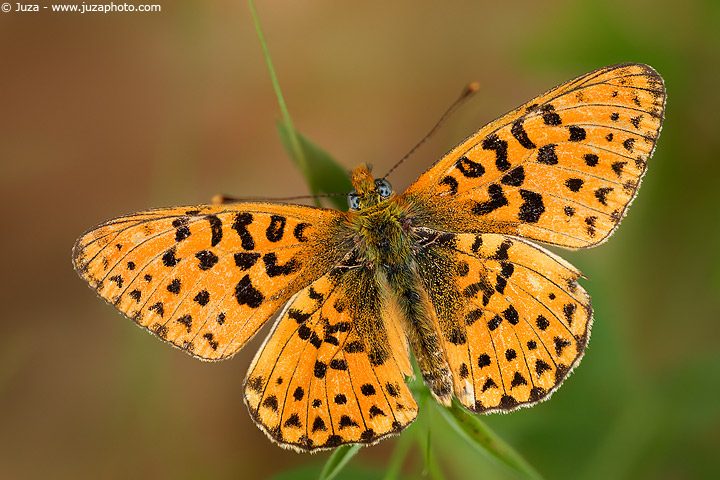
Canon EOS 20D, Sigma 180mm f/3.5 EX APO Macro HSM, 1/160 f/4, iso 100, tripod. Mt. Lesima, Italy.
I was wandering in the grassfields of Mt. Lesima (Upper Trebbia Valley), when I saw this beautiful specimen of Clossiana euphrosyne (a bit thanks, as always, to my friend Paolo Mazzei for the ID!). This butterfly has an intense orange color and blue eyes - a beautiful subject, but unluckly it was posed very close to the background. Even with the 180 + 2x teleconverter, it was not possibile to get a good separation between subject and background, considering that it was necessary an aperture of f/18 to get the entire butterfly in sharp focus from wing to wing.
In these situations, I use the technique of merging photos to increase the depth of field. I removed the teleconverter and I set the lens on the widest aperture (well, almost - I've choosen f/4 instead of f/3.5 because it is a little sharper). I focussed on the closest wing of the butterfly, I toke a photo, then I moved slightly the focus and I toke another photo (it would be better to move the camera back and forth instead of turning the focus ring, but it is impossible unless you have a focusing rail). I repeated this procedure until I had sharp shots of every portion of the subject - even though the butterfly was almost parallel to the camera, I've had to take eleven photos, because at these reproduction ratios the depth of field at f/4 is really shallow!
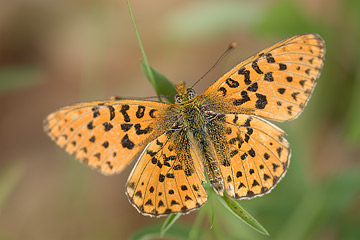
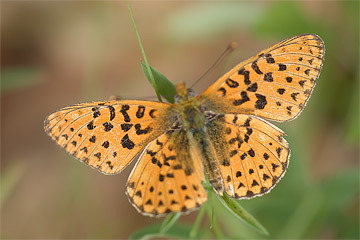
Two of the eleven shots that I merged to get the entire butterfly in sharp focus at f/4. (just converted from RAW and resized) Of course, the subject must be perfectly still in every photo - it the pose is different, it is not possible to merge the photos. After downloading the RAW files on my PC, I opened them with the same setting in ACR, and I copied all the photos into a single photoshop file, into separate layers. With the layer mask, I've taken the sharp portion of every photo - the result is that the entire subject is sharp, but the background remains blurred, because it is out of focus in every photo. It looks quite simple, but actually this tecnique is not easy, in particular when you have many shots and really shallow depth of field - you must be very careful with blending, otherwise you get an unnatural result, with impossible depth of field effects. To get better results, the sharp areas of every shot must overlap a bit.
Once you have merged the photos, you can process the image as every other photo. Here, I did a slight contrast enhancement and I increased a little the saturation, in particular in the eyes. The technique of merging photos for extended DOF is not easy, and I don't recommend to use it on regular basis - whenever possible, I recommed to isolate the subject from background using long lenses and placing the subject as much parallel as possible to the camera, to reduce the necessity of small apertues. On the other hand, when you don't have other possibilities, this technique may be the key to take a great photo in a difficult situation.
Replies and comments
What do you think about this article?
Do you want to tell your opinion, ask questions to the author, or simply congratulate on a particularly interesting article?
You can join the discussion by joining JuzaPhoto, it is easy and free!
There is more: by registering you can create your personal page, publish photos, receive comments, join discussions and you can use all the features of JuzaPhoto.
With more than 260000 members, there is space for everyone, from the beginner to the professional.

 JuzaPhoto contains affiliate links from Amazon and Ebay and JuzaPhoto earn a commission in case of purchase through affiliate links.
